
A whole band, on a desk.
Woodshed takes a finished recording and hands you the parts. Here is everything you can do once it has.
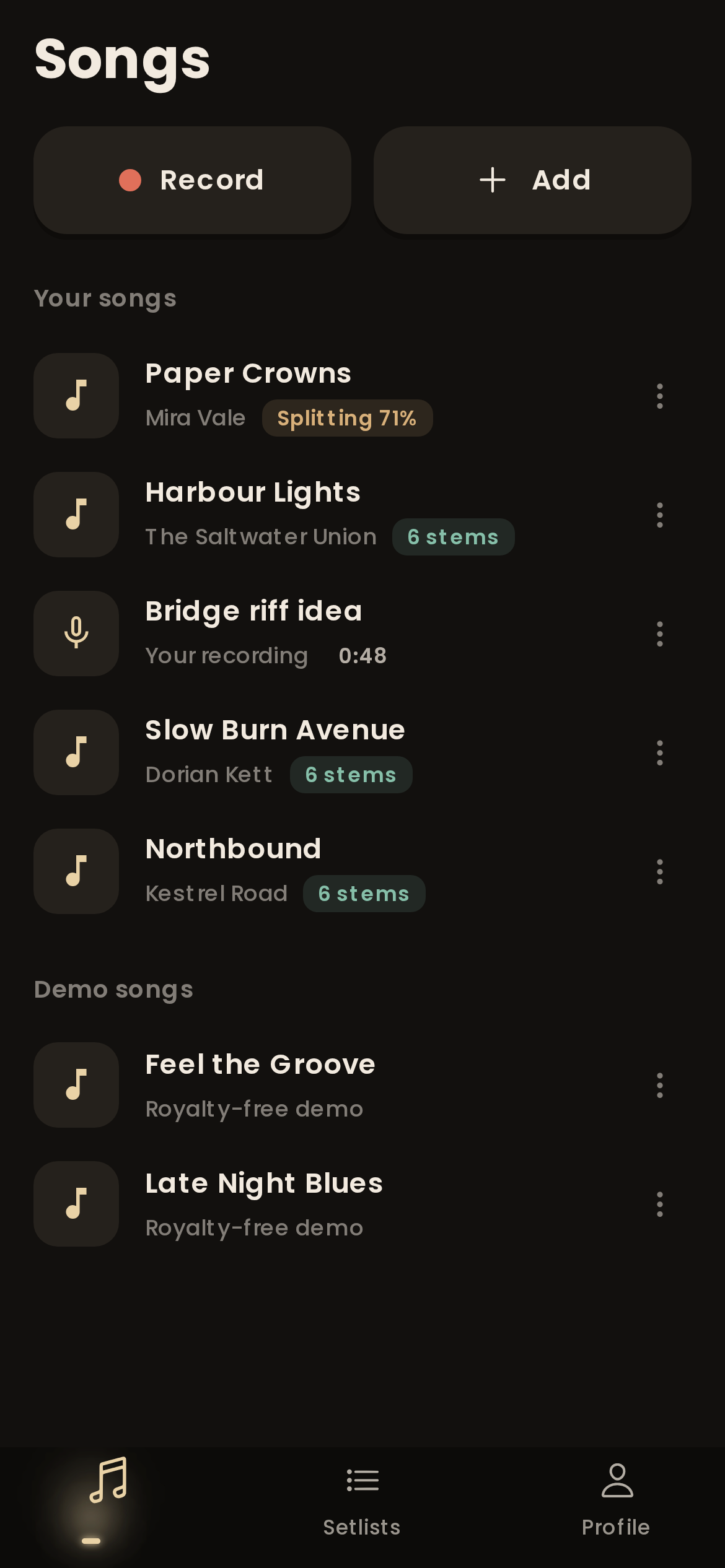
Six stems, one import.
Pick a 2-track split for karaoke, 4 stems for most practice, 6 stems to pull out guitar and piano, or Hi-Fi when only the cleanest result will do.
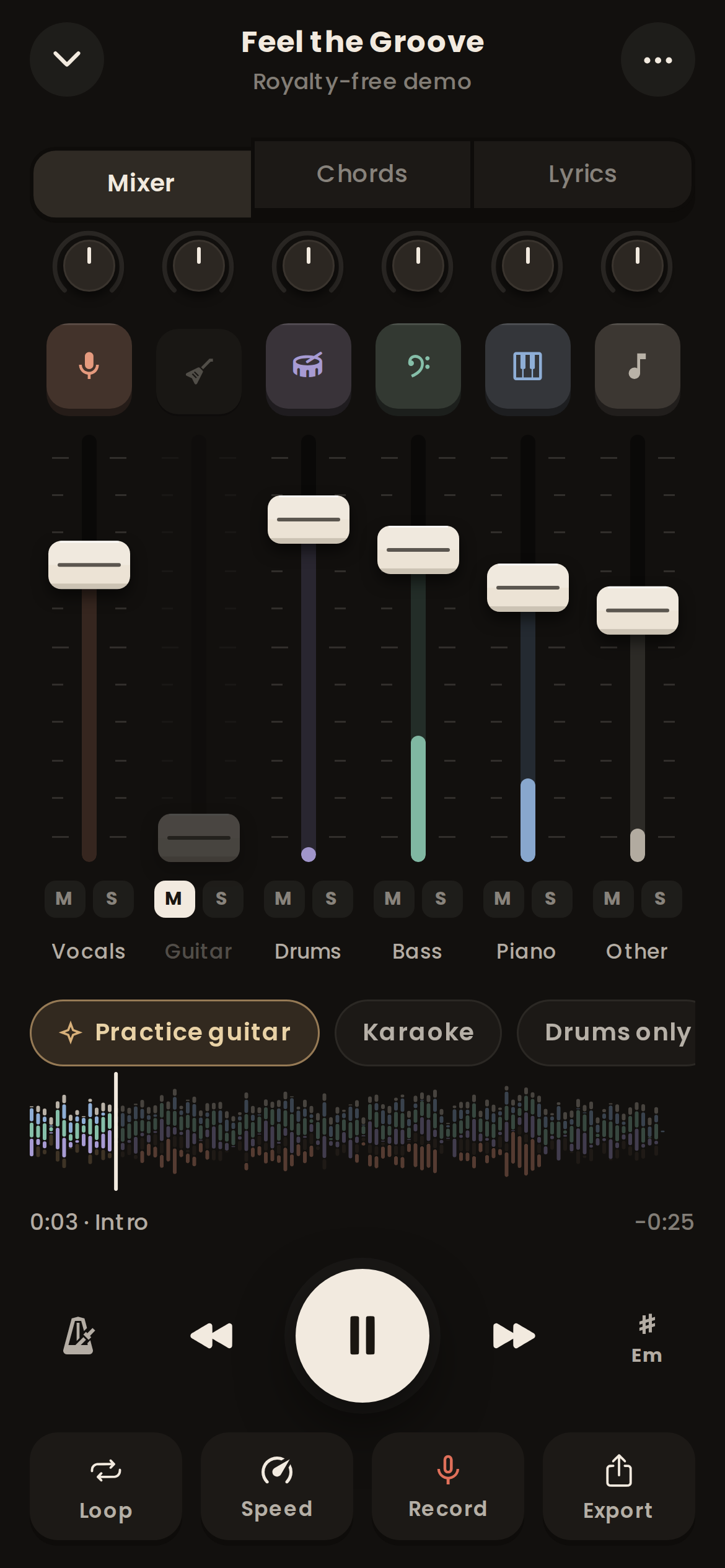
Lead and backing vocals. Mute them for karaoke, or solo them to learn harmonies.
Electric and acoustic guitar, split out with Premium. Mute it and play the part yourself.
The whole kit, or with Pro its parts: kick, snare, toms and cymbals.
The bass line on its own, which is also the quickest way to hear the chords.
Piano and keys, split out with Premium, for players learning the voicings.
Everything left: synths, strings, horns, percussion and effects.
Mute your part. Keep the band.
Every stem gets its own channel strip with a fader, pan, mute and solo. Pull the guitar out and you are the guitarist. Solo the bass to hear what the record is really doing under the vocal.
- Up to 6 stems per song
- Fader, pan, mute and solo per stem
- Live meters so you can see who is playing
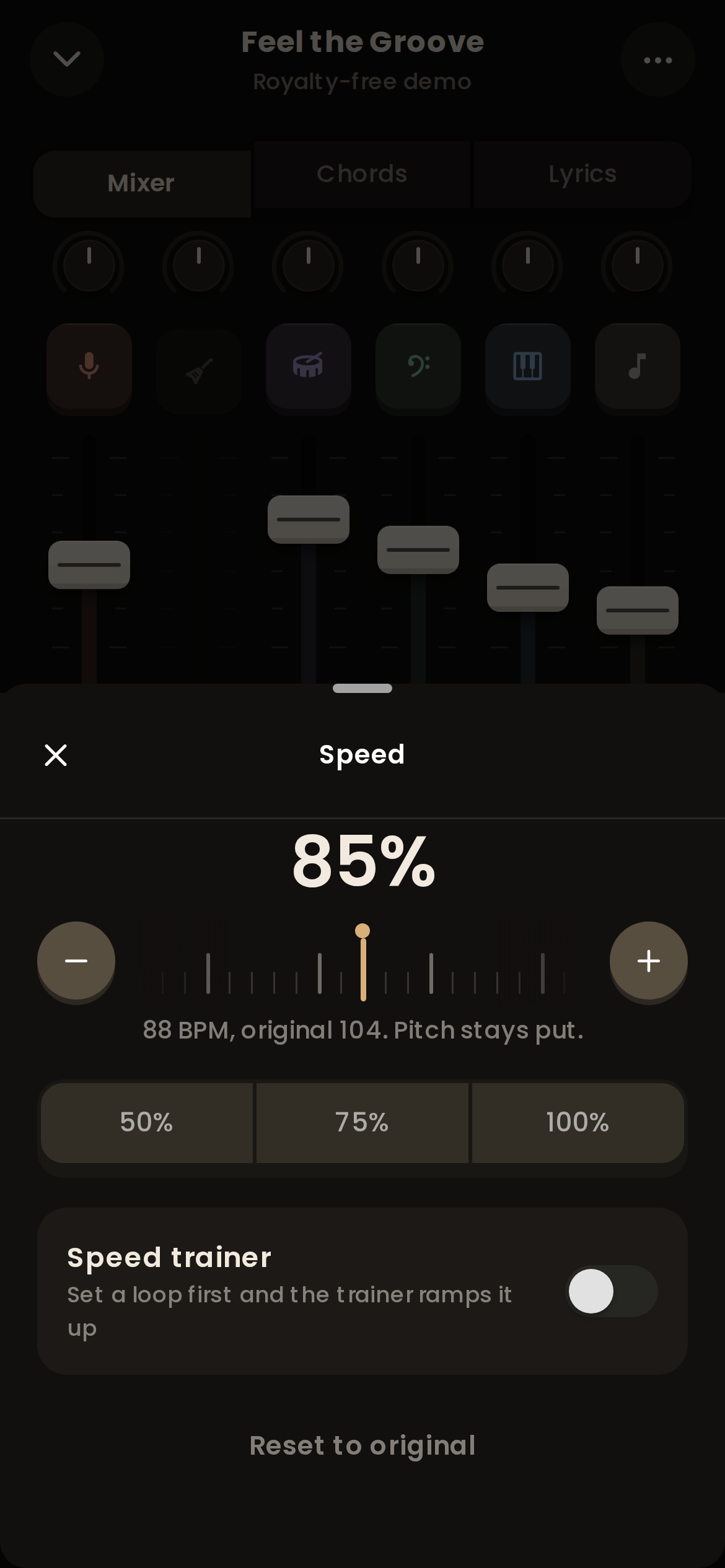
Slow it down. The pitch stays put.
Drop a fast solo to 60% and it still sounds in tune, so you learn the real notes, not a dragged-out guess. Shift the key to suit your voice, or let the capo helper tell you where to clamp.
- Speed from 25% to 150% in 5% steps
- Key up or down 6 semitones, with a capo helper
- Speed trainer nudges a loop faster each pass
Chords in time, lyrics in sync.
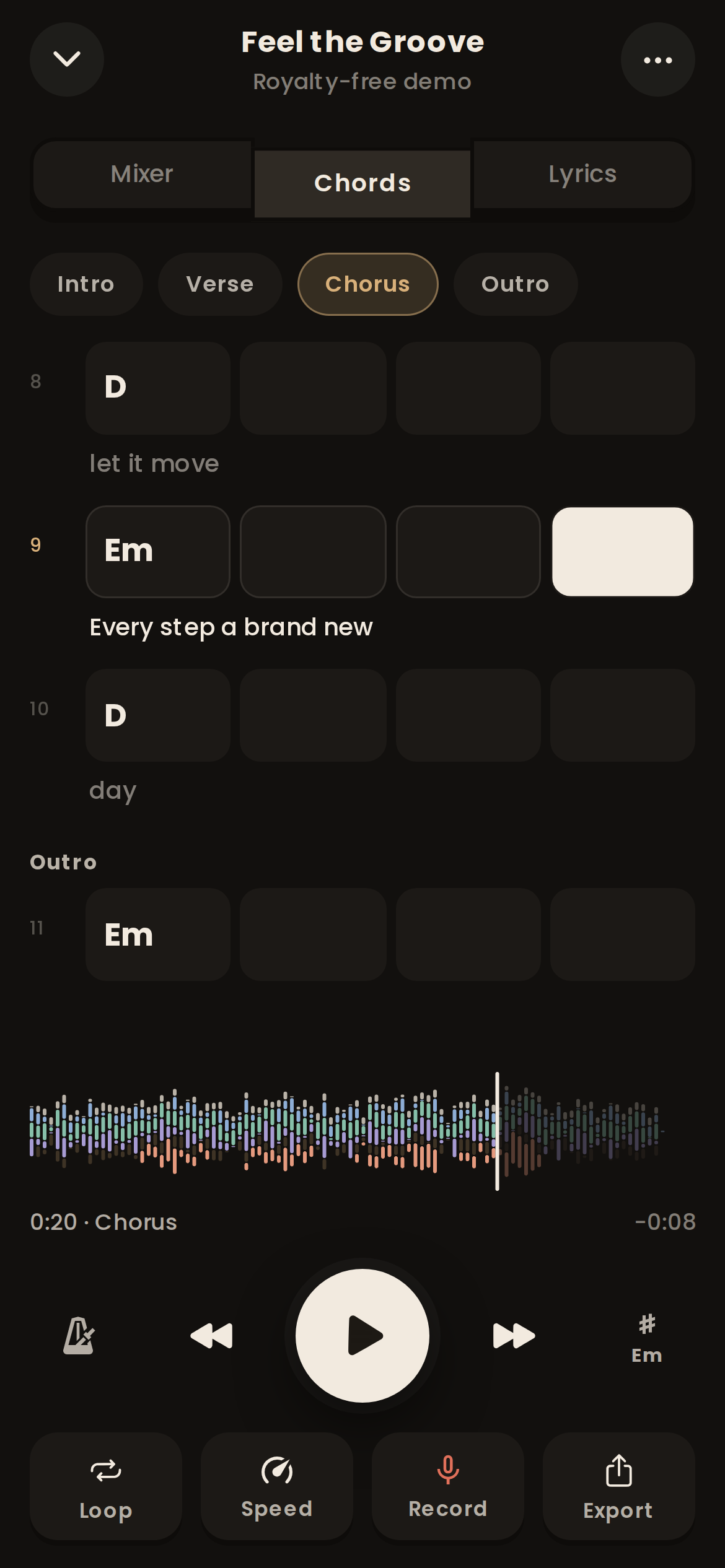
Woodshed detects the chords from the separated stems and lays them out bar by bar, with the lyrics scrolling underneath as the song plays. Tap any bar to jump there.
- Bar-by-bar chord grid
- Chords and sections with Premium, synced lyrics with Pro
- Detected key and tempo for every song
Loop it, click it, record it.
Setlists for the gig
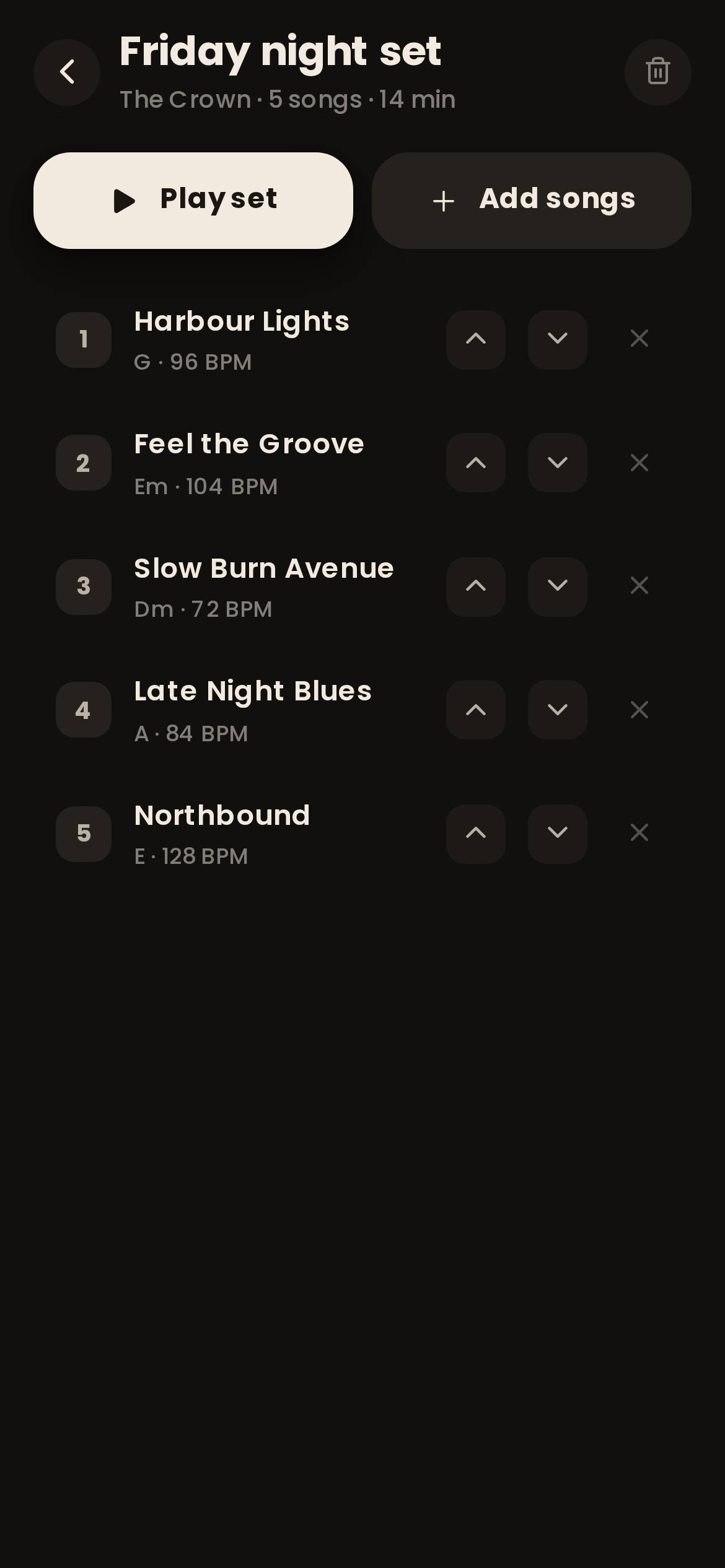
With Premium, put the night in order, set each song to the key and tempo you play it at, and run the whole set from one screen.
A-B loop and sections
Woodshed finds the intro, verses, choruses and bridge. Tap a section to loop it, or set your own A and B points down to the beat.
A metronome that follows the band
Real bands drift. The smart click is placed on the beats Woodshed found in the recording, so it stays with the song instead of fighting it. Count-in included.
Record takes over the track
With Premium, hit record and play your part over the stems. Listen back, compare takes, and keep the one that finally landed.
Export mixes and stems
Take a drumless backing track to rehearsal with Premium, or send the isolated bass to your student with Pro. WAV, FLAC and M4A, with or without the click.
Drum parts, one by one
With Pro, the drum stem splits again into kick, snare, toms and cymbals, so a drummer can hear exactly what each limb is doing.
Bring any file. Take it anywhere.
Import
MP3, WAV, FLAC, OGG, AAC, M4A and ALAC audio, plus MP4 and MOV video.
Export
WAV, FLAC and M4A. The full mix, any combination of stems, or each stem as its own file.
Analysis
Beats, downbeats, tempo, key, chords and song sections, found for every song you split.
From the record to your hands.
No plugins, no DAW, no fiddling with EQ. Three steps and you are playing.
Import any song
Drop in an MP3, WAV, FLAC, M4A or even a video file from your phone or computer. If you can play it, Woodshed can take it apart.
Split into stems
Our servers separate vocals, drums, bass, guitar, piano and everything else, then find the beats, the key, the chords and the song sections.
Practise with the band
Mute your part and play it yourself. Slow the hard bar down, loop it, change the key, and speed it back up until it sits.

Go to the woodshed.
woodshedding (n.) practising alone, over and over, until the hard part is yours.
Your first split is ready in about two minutes